There are a few ways to confirm that your graduation registration was successfully submitted:
1. Confirm Your Registration on the Final Step
After you have completed all the required information on the registration form, proceed to the final step:
Scroll all the way down and click the “CONFIRM” button to submit your registration.
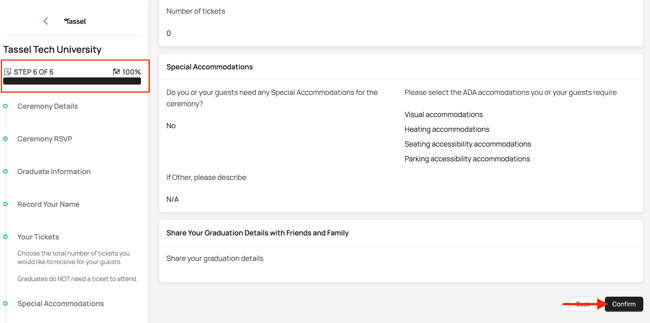
You should see a confirmation page once your registration has been successfully submitted.
2. Check Your Registration Status from the Home Page
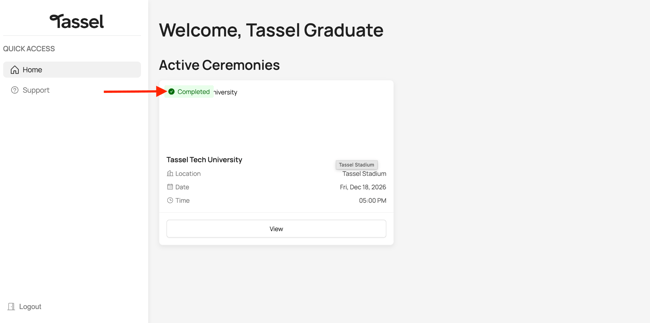
You can also confirm your registration from the Home Page. Under Active Ceremonies, check the status of your graduation registration:
-
Completed – Your registration was successfully submitted.
-
Not Started – Your registration has not been successfully submitted.