
Your graduation photos are available directly through your Tassel graduate account! Once your photos are ready, you can view your gallery, browse your pictures, and download them to your device.
Follow the steps below to access your graduation memories.
Access Your Graduation Photos
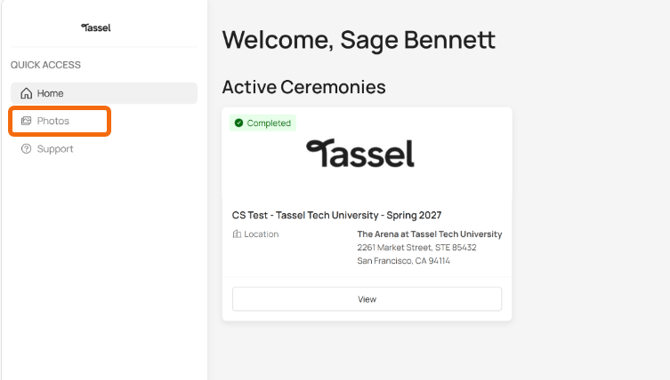
- Log in to your Tassel graduate account.
- From the left-hand menu, click Photos.
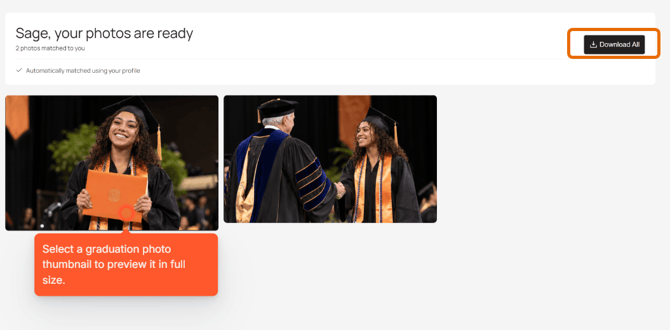
- Your graduation photo gallery will appear, displaying the photos matched to you.
View Your Graduation Photos
- Click on any photo thumbnail to open a larger preview.
- Use the arrow buttons to browse through your available photos.
- When you're finished viewing, click the X in the upper-right corner to return to your gallery.
Download Your Graduation Photos
- From your photo gallery, locate the Download All button in the upper-right corner.
- Click Download All to save all available graduation photos to your device.
- A confirmation message will appear once your photos have downloaded successfully.
You're All Set!
Your graduation photos are now downloaded and ready for you to enjoy, save, and share with family and friends.