
How to Print Your Stage Pass
Follow the steps below to print your stage pass:
- Log in to your Tassel account.
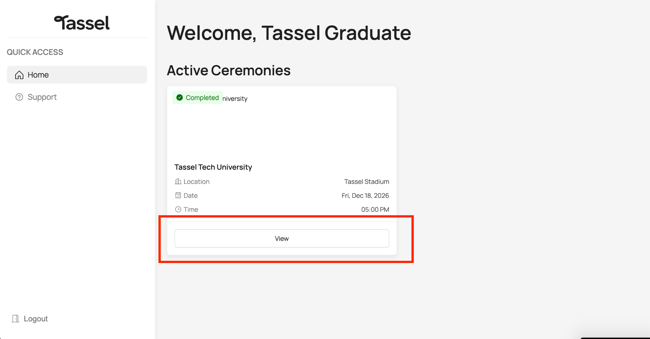
- Under Active Ceremonies, click View.
- Click “Print Stage Pass”
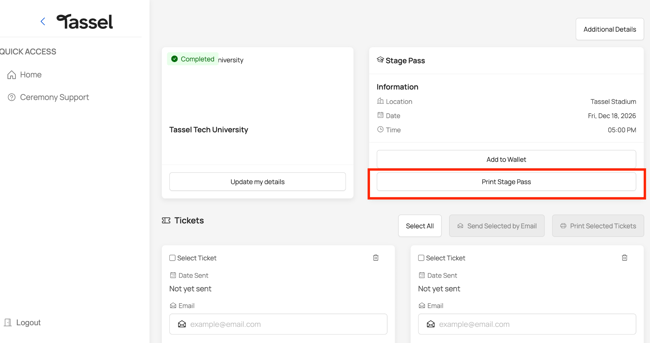
- You will be redirected to a page displaying your stage pass.
- To print your stage pass:
Windows: Press Ctrl + P.
Mac: Press Command (⌘) + P. - Select your preferred printer and follow your device's printing instructions.
Can I Save My Stage Pass as a PDF?
Yes! You can also save your stage pass as a PDF instead of printing a physical copy.
When the printing dialog opens, select Save as PDF (or the equivalent option on your device). You can then save the PDF to your device for easy access and scanning on the day of your ceremony.
Tip: Make sure your stage pass is clearly displayed and accessible before your graduation ceremony.