
Having trouble signing in to your Tassel account? You can reset your password to regain access to your account.
How to Reset Your Tassel Password
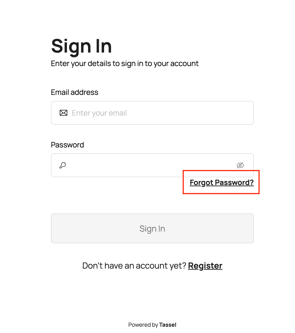
- Go to the Tassel sign-in page.
- Click “Forgot Password?”
-
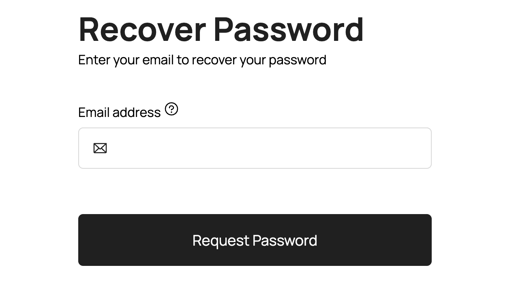
Enter the email address associated with your Tassel account, then click “Request Password”
-
Check your email for the password reset instructions.
- Follow the instructions in the email to create a new password.
- Return to the Tassel sign-in page and log in using your new password.
Didn't Receive the Password Reset Email?
If you don't see the password reset email in your inbox:
- Check your Spam or Junk folder.
- Allow a few minutes for the email to arrive.
- Request another password reset email if needed.
Still Unable to Sign In?
If you are still unable to reset your password or access your Tassel account, you may contact us here for assistance.
Our support team will be happy to help you recover access to your account.