
You may edit your registration responses as long as the registration deadline has not passed.
- Log in to your account.
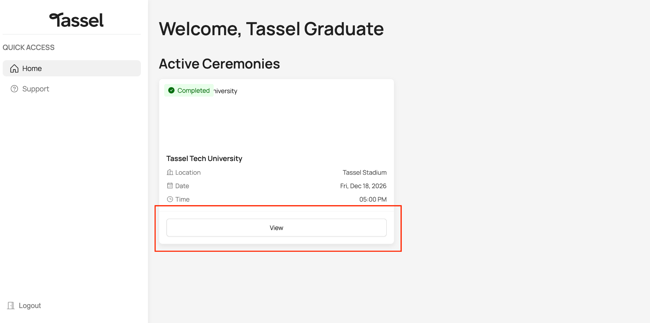
- Under Active Ceremonies, click “View”.
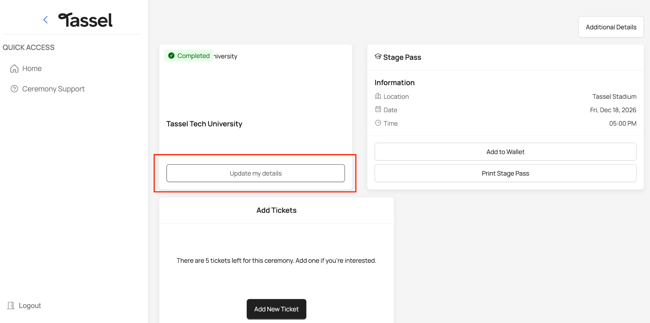
- On the next page, click “Update my details”.
- You’ll be taken through the registration form again. Update any details you need to change.
- Make sure you complete the form all the way to the end and click “Confirm” on the final page.
After the Registration Deadline
Once the registration deadline has passed, you will no longer be able to edit or update your registration details.
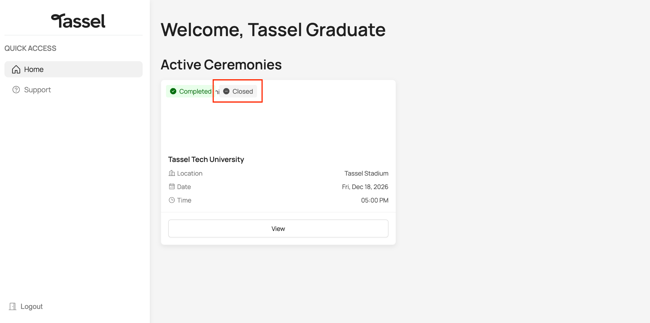
Under Active Ceremonies, you should see a Closed sign indicating that registration updates are no longer available.
Note: If you need to change any significant information after the deadline has passed, please contact your school for assistance.